
 Contact Sales
 Description
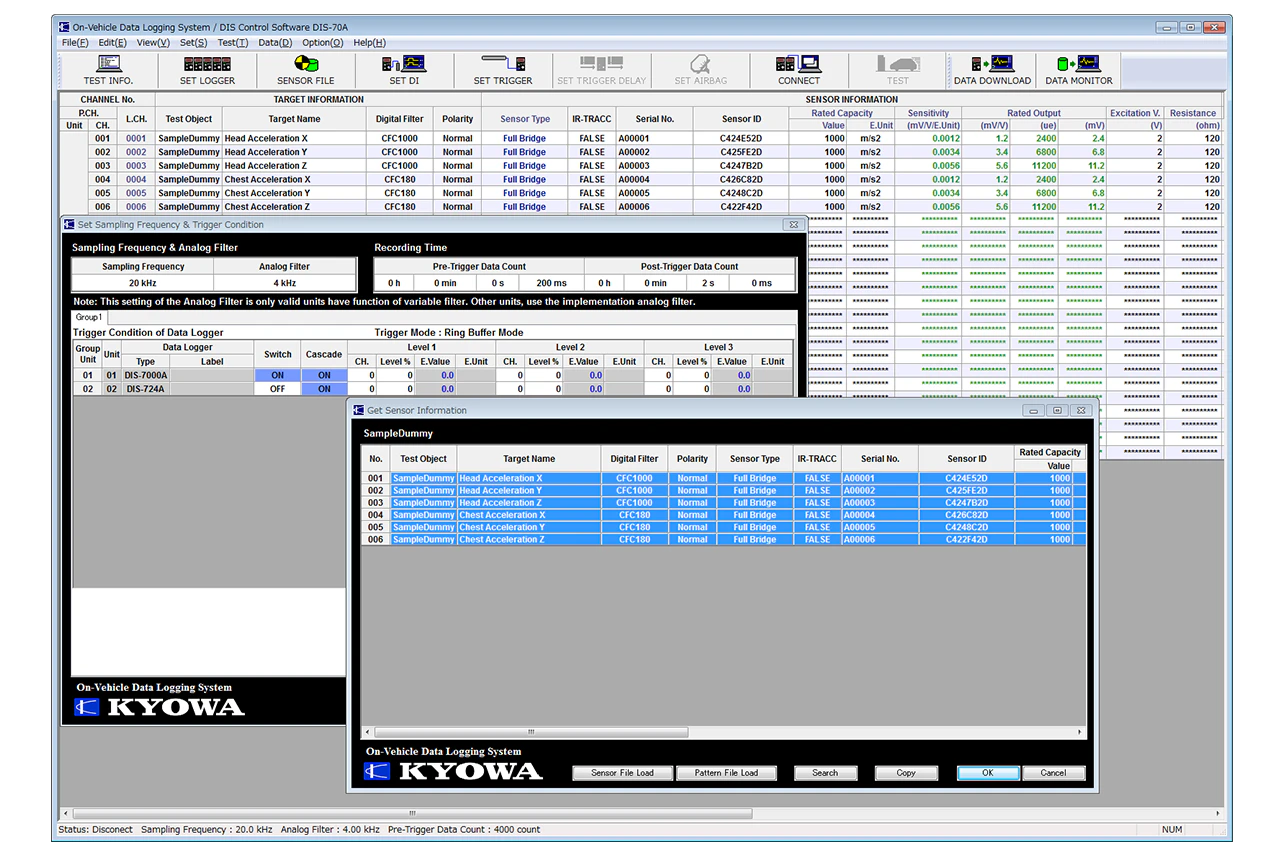
DIS-70AControl Software
Features
- For DIS Series recording/control
- Channels: Max. 999
- Basic operations are the same regardless of the measuring instrument controlled, for ease of use even if the measuring instrument is changed
- Can be modified to suit purpose
Specifications
Applicable Models |
DIS-7200 Series:
|
|---|---|
Number of Controllable Units*1 |
DIS-7200 & DIS-7000 Series: 4 groups
|
Test Conditions Setting Items |
Test number, test name, test mode, test objective,
|
Channel Conditions Setting Items |
DIS series:
|
Reading Sensor Information*3 |
TEDS, sensor ID, sensor files |
Measurement Condition Setting Items*4 |
Sampling frequency
|
Check Functions*5 |
Gain check
|
Monitoring Functions*6 |
Real-time numeric value monitoring
|
Data File Format |
Kyowa’s original binary, ASCII, and ISO MME |
Language |
English / Japanese |
Operation Environment
OS |
Windows® 8.1, Windows® 10
|
|---|---|
Display |
Resolution: 1280×768 pixels or more |
CPU |
Core 2 Duo, 2 GHz or more |
Memory |
If 32-bit OS, 2 GB or more (Recommended: 4 GB or more)
|
HDD |
Approx. 100 MB for installation |
Interface |
DIS-7200, DIS-7000, DIS-600 & DIS-5000 Series:
|
*1 Up to 999 channels (Total of analog channels, digital channels, and airbag timer channels)
|
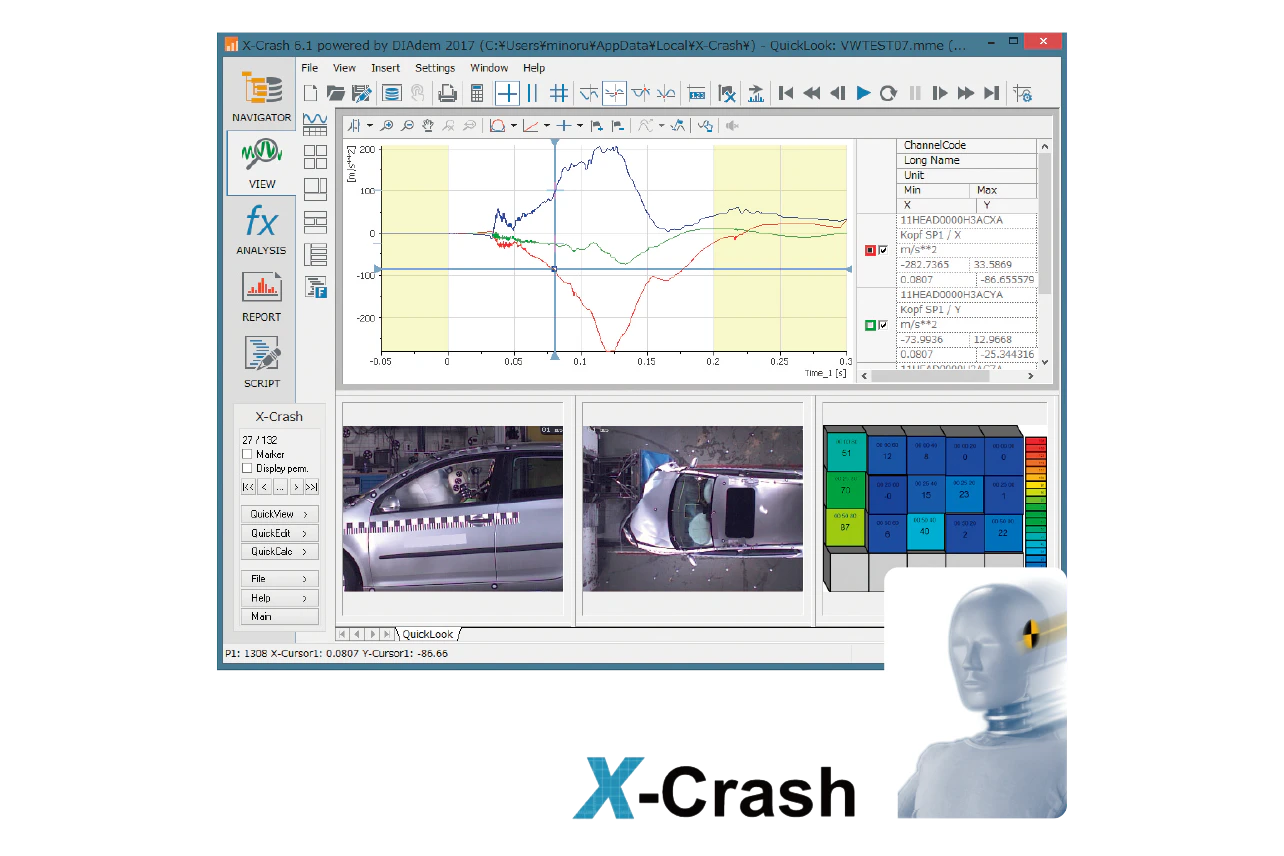
X-CrashAnalysis System for Vehicle Safety Tests
Features
- Safety test analysis and report generation compliant with global standards
- Compatible with ISO-MME, ISO-EGV (*.iso), DIAdem formats and VSAS database data
- Compliant with international standards and rules (FMVSS, xMVSS, ADR, TRIAS, ECE, EU) and evaluation programs (IIHS, JNCAP, EuroNCAP, etc.)
- Customizable with functions and powerful macros
- Report layouts can be edited
Software
Analysis System for Vehicle Safety Tests X-Crash
Option Software
Software for crash test dummy certification tests X-Crash ATD
Software for active safety evaluation X-Zero
* The license includes the DIAdem base license as standard. (DIAdem cannot be used on its own, since it is a dedicated license for X-Crash)
Multi-segment Barrier Load Analysis Software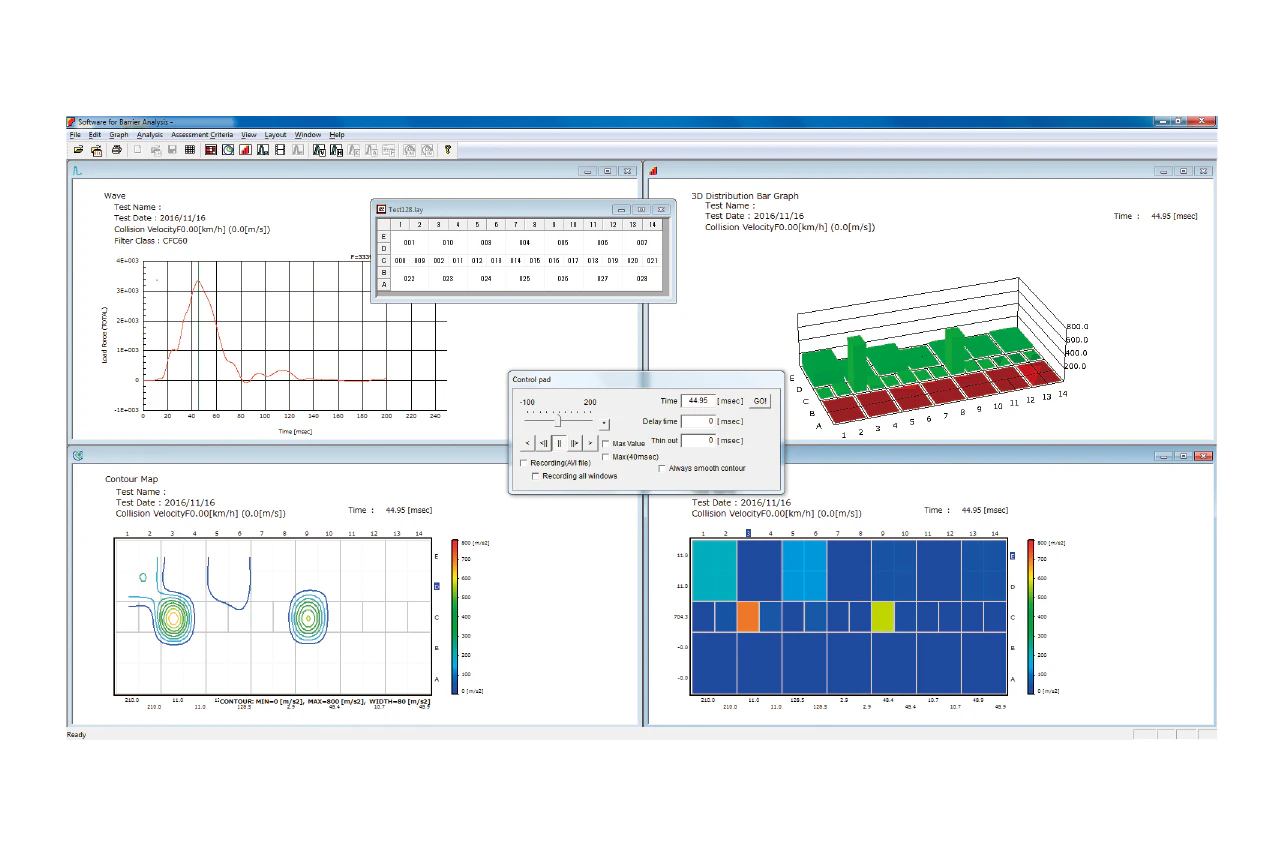
Specifications
Hardware
Data Logger |
Data Logger for Crash Test (DIS series), Control software |
|---|
PC
Memory |
For the 32-bit OS, 2 GB or more.For the 64-bit OS, 4 GB or more. |
|---|---|
Display |
XGA (1024 × 768 pixels), 256 color or more |
|
|
Windows® compatible (A4 cut paper) |
OS |
Windows®10, Windows®11 |
Software
Engineering Value Conversion |
Amplifier range, calibration value, conversion to engineering value using calibration coefficient |
|---|---|
Filtering |
CFC 60, CFC 180, CFC 600, and CFC 1000, conforming to SAE-J211 |
Channel Assignment |
Data logging channel numbers assigned to multi-divisional barrier grid displayed |
Waveform Monitoring |
Displays Y-Time waveform monitoring graph. |
Force Distribution Charts |
Displays the magnitude of the force data on the barrier grid as a colored distribution map. |
Force Contour Charts |
Displays the force data on the barrier grids as a contour map. |
Force Bar Charts |
Displays the force data on the barrier grid as a 3-D bar chart map. |
Force Displacement Charts |
Displays the displacement calculated from the barrier force and car-body acceleration as an F-S curve. |
Force Height Displacement Chart |
Displays the displacement calculated from the force center height and car-body as an AHOF-S curve. |
Video Display |
Displays video data in formats of AVI (Motion JPEG AVI). |
Control Pad |
Controls the graph display and video playback. |
ASCII Conversion Output |
Saves time series force data (Engineering value, filtered value) as a CSV file |
Evaluation Indexes |
VNT & HNT, VSI & HSI, AHOF 400, KW 400, RHA (RH)*Some specifications are optional. |
*Specifications and design are subject to change without notice.
*Please contact us for information on product warranties.
Crash Testing Analysis Software
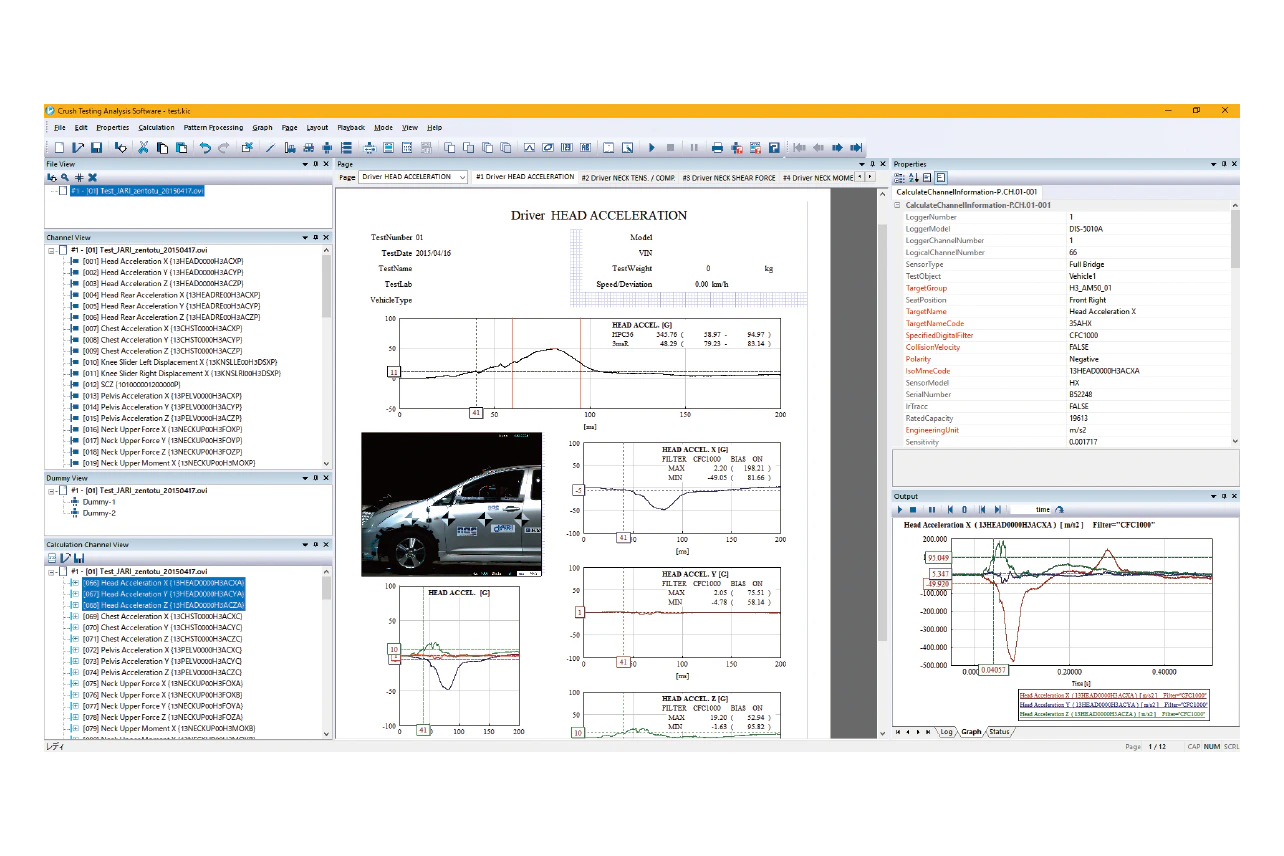
Dummy data calculations and programmed processing patterns are options sold separately from systems.
Options can be selected and added at the time of initial deployment or as needed thereafter.
In addition, we also produce processing patterns in accordance with customer needs.
Specifications
Main Specifications
Programmed Processing Mode |
Applies preset dummy data calculations and programmed processing patterns based on specific forms of impact and dummies to analysis, calculations, and the report output formats. |
|---|---|
Nonprogrammed Processing Mode |
Performs or creates analyses, calculations, and graph layouts |
Processing/Calculation |
Apply a digital filter (CFC1000・CFC600・CFC180・CFC60 that complies with the SAE-J211), calculate injury values (HIC, Nij, 3ms, VC, TI, duration, etc.), invert polarity, convert units, perform arithmetic operations between channels, integrate and differentiate, calculate statistics, remove bias. |
Graphing |
Display T-Y graphs, X-Y graphs, and graphs with numerical values, high-speed camera movies, or text. |
Options (Can be selected and added as needed.)
Dummy Data Calculation |
H3 AM50・AF05
|
|---|---|
Programmed Processing Pattern |
Laws and regulations related to various types of crash testing (frontal impact, frontal impact: ODB, side impact, side pole impact, rear impact) in Japan, the US, and the EU as well as JNCAP, Euro NCAP, etc. |
Operating Environment
OS |
Windows®10, Windows®11English, 32/64 bits support (64 bits only for Windows 11) |
|---|---|
CPU |
Intel Core i3-560 or advanced |
Memory |
16 GB or more |
Display |
1280 × 1024 pixels, full color or more |
USB |
One open port (2.0 or higher) |
Printer |
Windows®-compatible printer (supporting A4 output) |
*Dummy data calculations and programmed processing patterns are options sold separately from systems. Options can be selected and added at the time of initial deployment or as needed thereafter. In addition, we also produce processing patterns in accordance with customer needs.
*Specifications and design are subject to change without notice.
*Please contact us for information on product warranties.